运维管理3 分钟阅读
openGauss每日一练第3天 | 数据库的基本管理
openGauss 每日一练第 3 天打卡,我来了!又可以学习,真开心~ 今天第 3 课,学习了 openGauss创建数据库、修改数据库属性和删除数据库! sql create database tpcc1; create database tpcc2; \l
2021年12月3日阅读—点赞—收藏—
database
在知识库中专注阅读,并随时返回相关工具与课程
openGauss 每日一练第 3 天打卡,我来了!又可以学习,真开心~ 今天第 3 课,学习了 openGauss创建数据库、修改数据库属性和删除数据库! sql create database tpcc1; create database tpcc2; \l
openGauss 每日一练第 3 天打卡,我来了!又可以学习,真开心~
本章目标:掌握本章核心知识点 前置要求:完成前序章节学习 预计时长:60 分钟
今天第 3 课,学习了 openGauss创建数据库、修改数据库属性和删除数据库!
1create database tpcc1;2create database tpcc2;3\l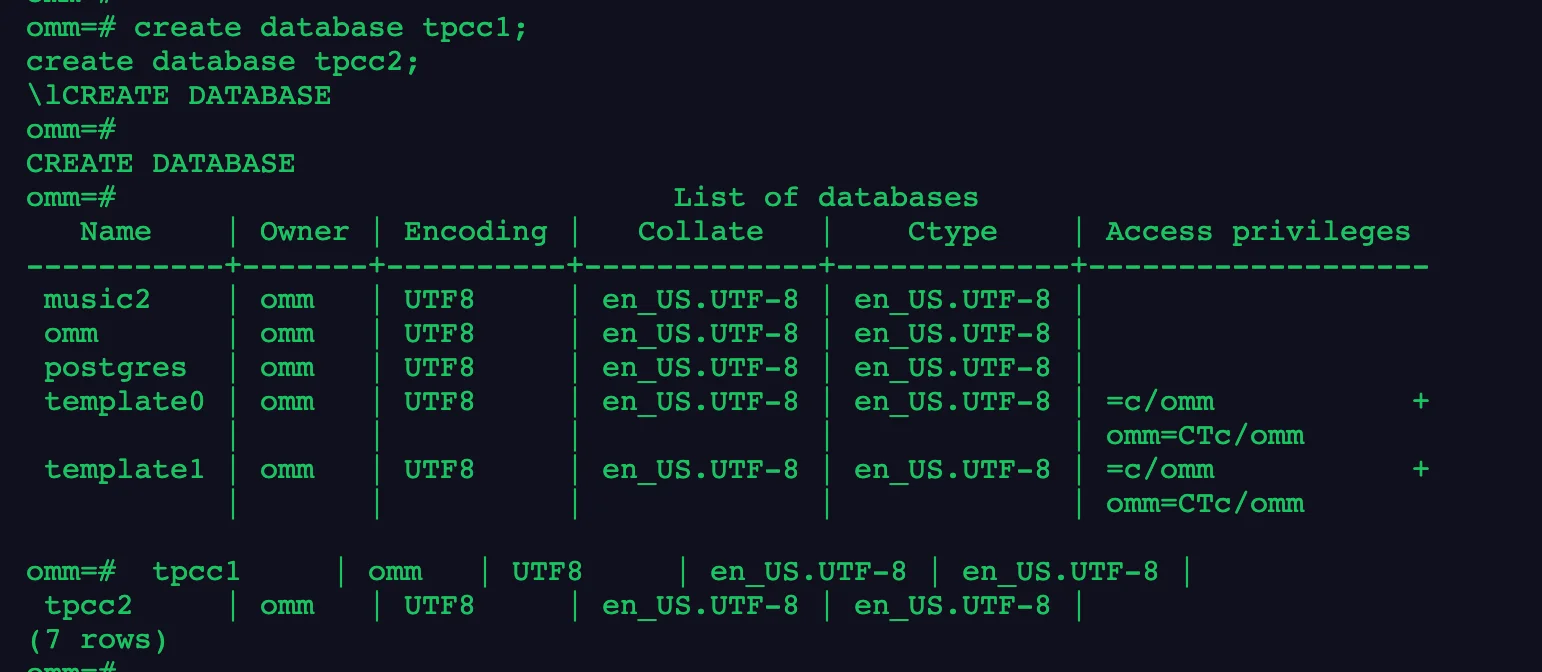
1alter database tpcc1 rename to tpcc10;2\l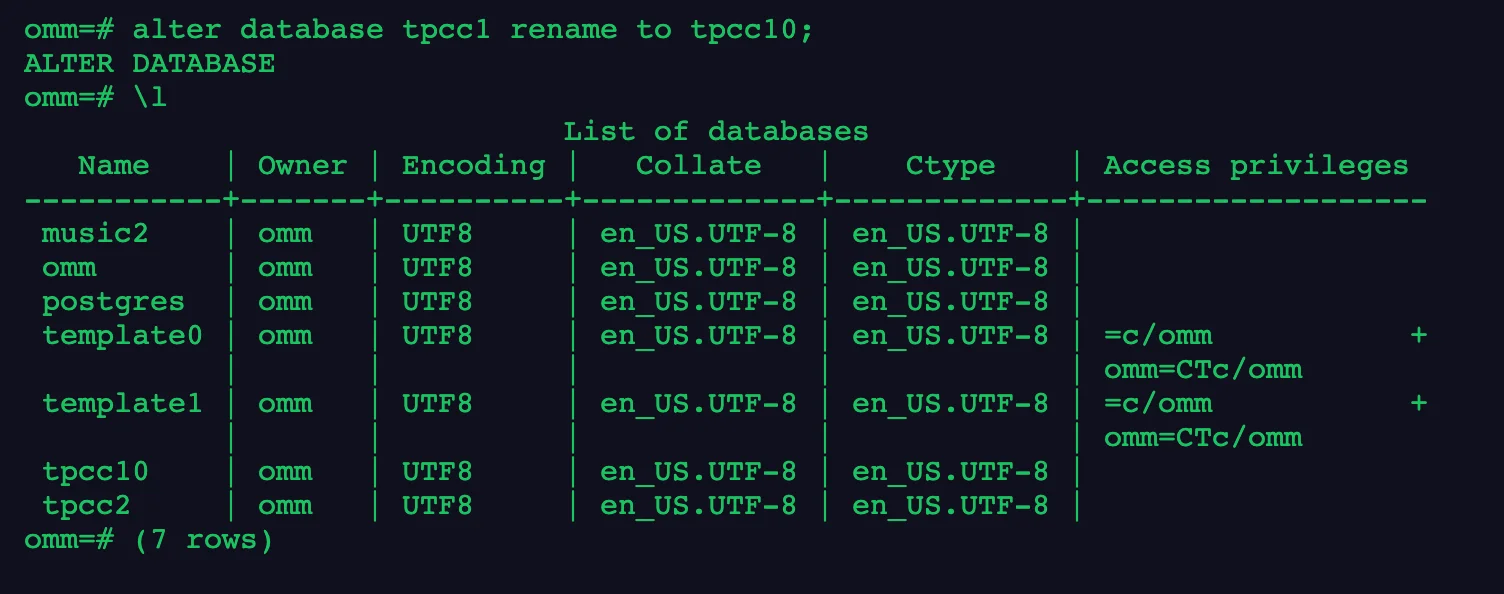
1\l2\l+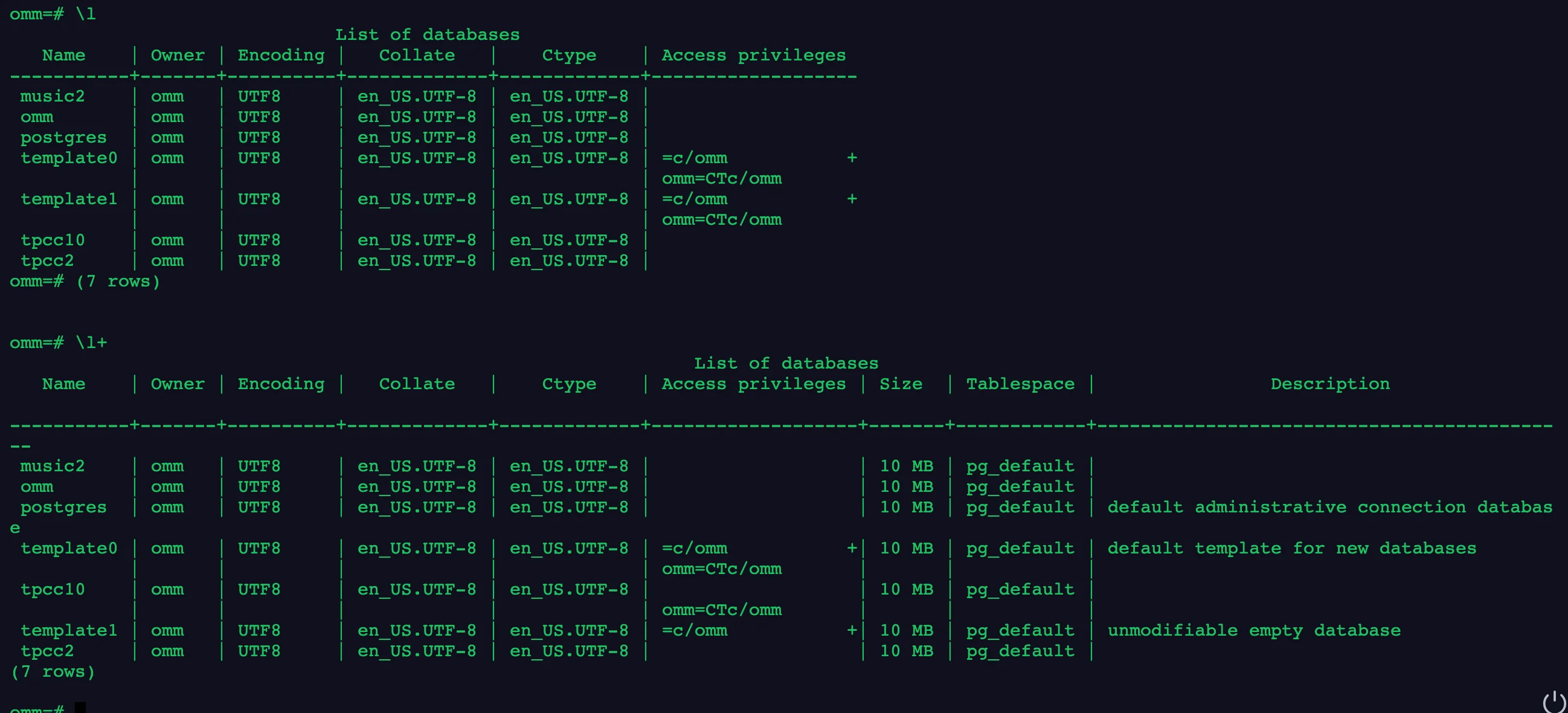
1\c tpcc22create table customer(id int);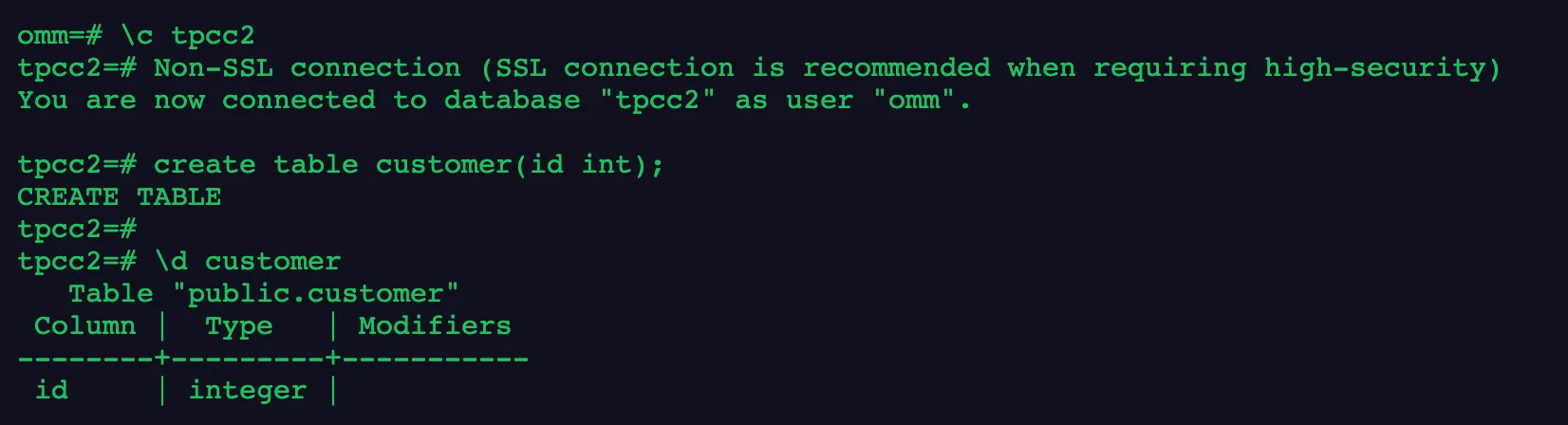
1drop database tpcc10;2drop database tpcc2;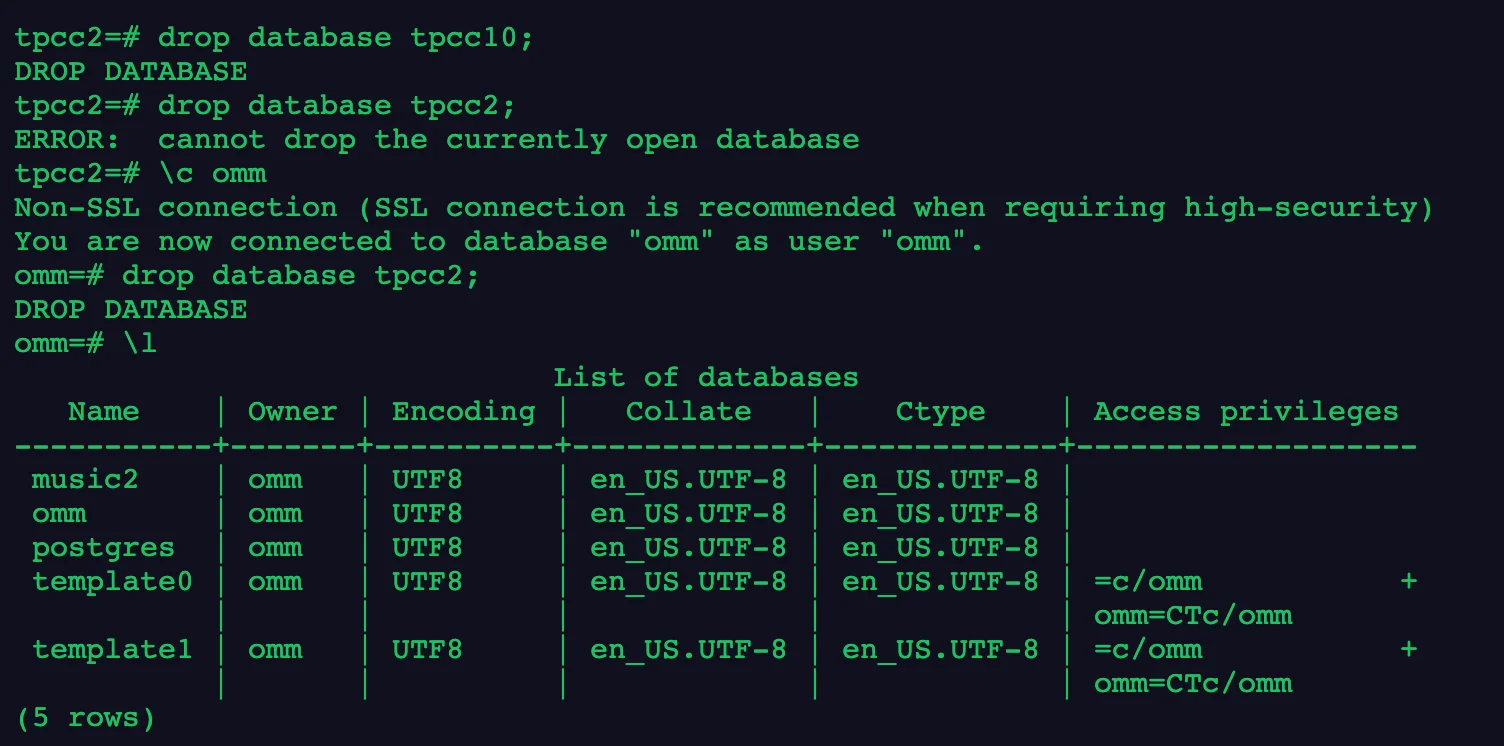
1\q image.png
总结,今天学习了如何管理数据库,包括创建删除和使用!
1--创建jim和tom用户。2openGauss=# CREATE USER jim PASSWORD 'xxxxxxxxx';3openGauss=# CREATE USER tom PASSWORD 'xxxxxxxxx';45--创建一个GBK编码的数据库music(本地环境的编码格式必须也为GBK)。6openGauss=# CREATE DATABASE music ENCODING 'GBK' template = template0;78--创建数据库music2,并指定所有者为jim。9openGauss=# CREATE DATABASE music2 OWNER jim;1011--用模板template0创建数据库music3,并指定所有者为jim。12openGauss=# CREATE DATABASE music3 OWNER jim TEMPLATE template0;1314--设置music数据库的连接数为10。15openGauss=# ALTER DATABASE music CONNECTION LIMIT= 10;1617--将music名称改为music4。18openGauss=# ALTER DATABASE music RENAME TO music4;1920--将数据库music2的所属者改为tom。21openGauss=# ALTER DATABASE music2 OWNER TO tom;2223--设置music3的表空间为PG_DEFAULT。24openGauss=# ALTER DATABASE music3 SET TABLESPACE PG_DEFAULT;2526--关闭在数据库music3上缺省的索引扫描。27openGauss=# ALTER DATABASE music3 SET enable_indexscan TO off;2829--重置enable_indexscan参数。30openGauss=# ALTER DATABASE music3 RESET enable_indexscan;3132--删除数据库。33openGauss=# DROP DATABASE music2;34openGauss=# DROP DATABASE music3;35openGauss=# DROP DATABASE music4;3637--删除jim和tom用户。38openGauss=# DROP USER jim;39openGauss=# DROP USER tom;4041--创建兼容TD格式的数据库。42openGauss=# CREATE DATABASE td_compatible_db DBCOMPATIBILITY 'C';4344--创建兼容A格式的数据库。45openGauss=# CREATE DATABASE ora_compatible_db DBCOMPATIBILITY 'A';4647--删除兼容TD、A格式的数据库。48openGauss=# DROP DATABASE td_compatible_db;49openGauss=# DROP DATABASE ora_compatible_db;今天的作业打卡结束!🎉